• Home
  • Blog
  • Gallery
  • Pricing
  • Home
  • Blog
  • Gallery
  • Pricing
Start creating

Creator blog

Better stories start hereBetter stories start here

Discover practical AI tools, interactive storytelling methods, and production lessons—from the first idea to a story people can play.

DRAMAFORKStories · Craft · Possibility
Topics
AllCreation tutorialsInteractive narrativeGetting startedGalgame Route DesignVisual Novel ProductionInteractive Fiction DesignNarrative Design for Interactive Film GamesInteractive Film AccessibilityInteractive Film WorkflowInteractive Game BasicsInteractive Film Presentation and DeliveryInteractive Film LocalizationInteractive Film ProductionNarrative MechanicsCreative CollaborationGetting startedFictional Case StudyStory LocalizationMobile and AccessibilityActing and StagingExploring Time and SpaceRelationships and GroupsResources and ConstraintsInformation and CommitmentsProduction PracticeProduct workflowChoosing tools
500 articles

Editorial / 18

Latest articlesLatest articles

Practical methods for narrative structure, visual production, and everything in between.

A choice switch connected by lines to two door models, with an editor checking whether an exit is misconnected.Featured
Product workflow2026.09.26

How to Check DramaFork Interaction Nodes: Option Text, Exits, and Payoff Results Must Be Read as Pairs

When checking interaction nodes, treat each option as a "promise—payoff" pair: the intent the player reads on the button must receive a corresponding result in the node pointed to by the exit, and that result must be able to return to the main line or form a clear closure. Checking only the button text, or only looking at the node connections, will miss empty exits, misconnections, and duplicate intents. Below, a fictional teaching example, "Inside and Outside the Greenhouse Door," illustrates a reusable review table.

DramaFork Editorial Team14 min read
Continue reading

The next move is yours

From a story to a playable world.From a story to a playable world.

Do not wait for every video to be finished before testing the story. Build the characters, rules, and branches first, then let real choices guide what you make next.

Start with one story decision

Try a playable example

From a story to a playable world.

Create interactive narrative games with DramaFork: connect scripts, characters, shots, and choices into a playable first version.

Explore & play

  • Explore gallery
  • Interactive film
  • Text game
  • Character IP
  • Rankings
  • Works index

Create & collaborate

  • My creations
  • Film studio
  • Text-game studio
  • Character studio
  • Creator partnership

Reading room

  • Creator blog
  • Story topics
  • Article archive

Story guides

  • Interactive storytelling
  • Making interactive films
  • Designing text games
  • Character and worldbuilding

Plans & credits

  • Pricing
  • Credits

Policies & support

  • Privacy
  • Terms
  • Cookies
© 2026 DramaFork/DramaFork · Interactive narrative games
Press Enter to send, or drag away and release.
A creator turns material samples, lighting, and set models into executable style conditions.
Product workflow2026.09.26

After Choosing a Style, How to Write It for the Team: Turn References into Stable Text Constraints

After choosing a style, what you show the team is not the name of a reference work, but a text specification that can be checked item by item. The method is: first use one sentence to lock down the overall judgment of the style, then break down color tone, materials, light sources, and detail density into observable descriptions, and finally use a "can keep / can change" table to draw the boundaries of expression. Below, we walk through the fictional teaching example "Rainy Port Retro Style"; all names, numbers, and dialogue are fictional and do not correspond to any real project.

DramaFork Editorial Team16 min read
Continue reading
A character reference sheet, costume fabric, and silhouette studies are checked around the same collar detail.
Product workflow2026.09.26

What to Check Before Confirming DramaFork Character Assets: Identify the Person First, Then Check Emotion and Shot Fit

Do four things first, then decide whether to use a character image: identify identity anchors, break down costume states, write action requirements, and list scene conditions. Only when all four steps pass does the image enter the usable pool; if it only passes the "looks good" test, rework is likely later in the video and preview stages. The following uses a fictional teaching example: the character is Shen Yan, an adult postman, and the story takes place in a windy harbor city. The names, numbers, and quoted lines are all made up and are only used to demonstrate the order of judgment.

DramaFork Editorial Team15 min read
Continue reading
A character lowers a paper boat onto an empty desk, completing the missing action between adjacent storyboard frames.
Product workflow2026.09.25

DramaFork Storyboard Misses an Action: Why Later Assets May Not Match

When a storyboard misses an action, first check the exit of the previous shot against the entrance of the next shot. For example, at the end of shot 7 the paper boat is still in Lin Wan's hand, but at the start of shot 8 it is already on the table, with no action of putting the paper boat down in between. The author needs to add this transfer, then check whether nodes and videos still use the old description. Changing only the text of the later shot cannot prove that already completed segments change along with it.

DramaFork Editorial Team13 min read
Continue reading
A cat editor checks scene cards, character files and a sealed envelope at a script review desk.
Product workflow2026.09.25

Before DramaFork Scripts Enter Storyboarding, How Do You Do an Entry Check?

Before entering storyboarding, you can first check four things: whether the scene has observable actions, whether the choices have concrete consequences, what each character knows at this moment, and what condition this scene ends on. An ambiguous script, once it enters storyboarding, will be turned into concrete images; if the direction of that concretization differs from the author's intent, you need to go back and adjust. Therefore, when you find that the core conflict is unresolved, revise the script text first, then continue generating storyboards.

DramaFork Editorial Team16 min read
Continue reading
A cat editor adjusts miniature cities beside a model harbor hall.
Product workflow2026.09.25

How Does DramaFork Check for Mutually Contradictory Requirements During Planning?

The most common problem in planning is that each requirement looks reasonable on its own, but they undermine each other when put together. The check is not to fill out the creative sheet again, but to pull out five types of requirements and compare them pairwise: story goal, player identity, scale, form, and ending promise. The method is to first write them as judgeable short sentences, then ask pair by pair "can these two hold at the same time," write the ones that cannot into a conflict list, and finally use a contraction plan to change one of them rather than keeping all five.

DramaFork Editorial Team16 min read
Continue reading
A cluttered stack of scene cards is pared down to one object, one obstacle, and one action.
Production practice2026.09.24

How to Shorten an Overlong Pre-Choice Video: Keep the Information Needed for Judgment, Then Cut Repeated Setup

Do three things first: break the current video into information segments by shot, label each one as "fact," "emotion," or "action signal," then keep only the segments that support the player's choice. When the basis for judgment is insufficient, add facts; when emotions repeat, merge them; when the action signal is missing, add a clear direction. Below, a fictional ship-repair argument case walks through it: each of the six information segments has a clear category, and after trimming, the short script still lets the player understand "whether to give the last rivet to the opponent."

DramaFork Editorial Team12 min read
Continue reading
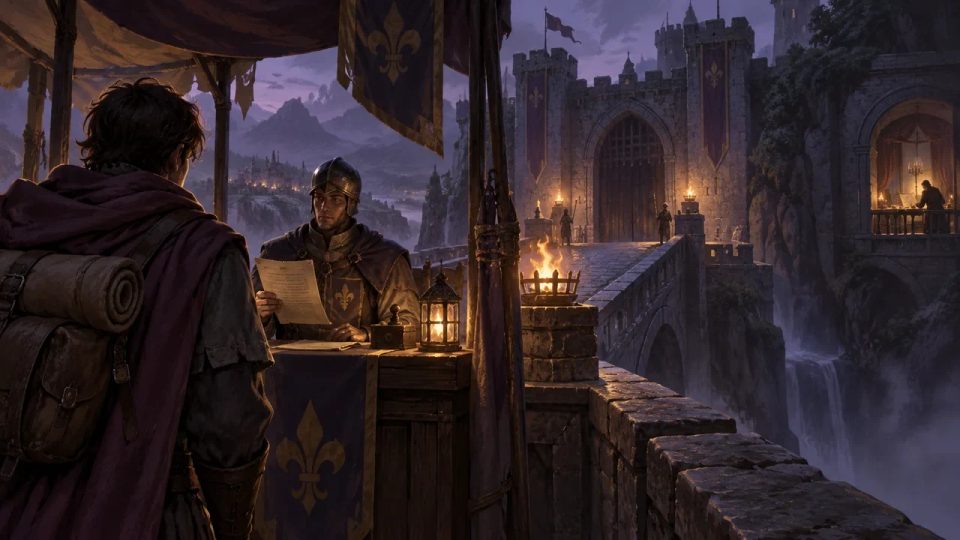
A choice shot from behind a traveler shows a visible bridge and permit clerk.
Production practice2026.09.24

Should the perspective before and after a choice be consistent: How do you avoid the player suddenly knowing something the protagonist does not?

It needs to be consistent, but the thing that must be consistent is not "what the protagonist knows," but "who is allowed to know what in this scene." The writer must first define the information sources for each scene, then make choices use only information that has already appeared in front of the player. If a choice must use knowledge the protagonist has not yet obtained, either add a scene in which the protagonist obtains it, or rewrite the choice as an action the protagonist can take based on existing clues.

DramaFork Editorial Team17 min read
Continue reading
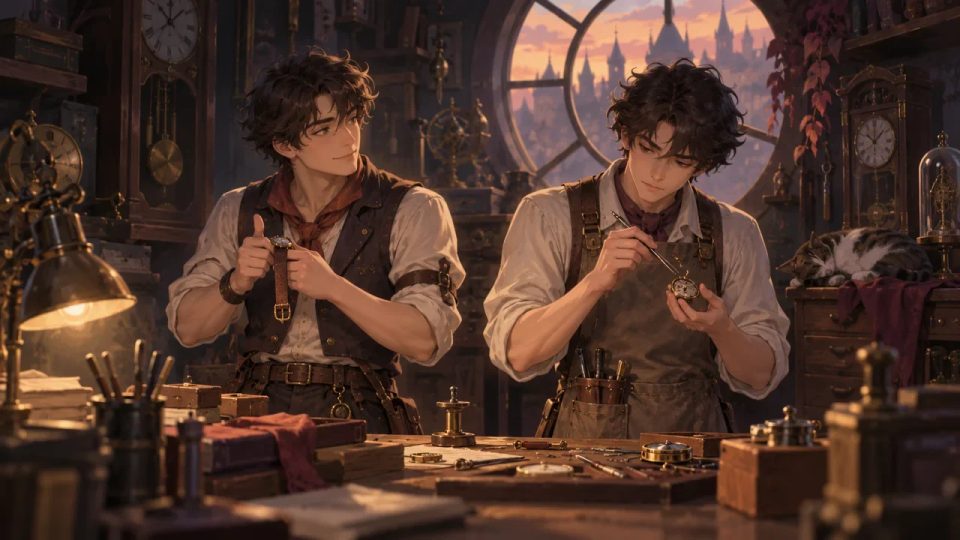
Similar-looking watch repairers distinguished by a vest, an apron, and different hand actions.
Production practice2026.09.24

Two Characters Look Alike: How Can Clothing, Behavior, and Forms of Address Help Players Tell Them Apart?

Conclusion first: split recognition into four mutually independent clues, each of which can stand on its own, so players do not need to rely on facial features to tell them apart. The four are: silhouette (different at a distance), carried objects (ownership visible up close), action habits (confirmable in motion), and forms of address and self-reference (identifiable in dialogue). Below, a pair of fictional twin watchmakers is used to build a complete construction; the characters, numbers, and dialogue are all teaching examples, not measured data.

DramaFork Editorial Team13 min read
Continue reading
A phone beside a separate information card, showing that key clues should not rely only on the screen image.
Production practice2026.09.23

When Plot Clues Are Written on a Phone Screen, How Do You Avoid Relying on a Single Image for Key Text?

The author should maintain a separate "required reading text list" that fully records each key text's exact wording, presentation medium, trigger conditions, and how players can verify it; in the visuals, treat that text as only one form of presentation, and provide subtitles or independent body text as well. If numbers, times, locations, or forms of address do not match, stop and revise the text rather than continuing to work on later shots.

DramaFork Editorial Team14 min read
Continue reading
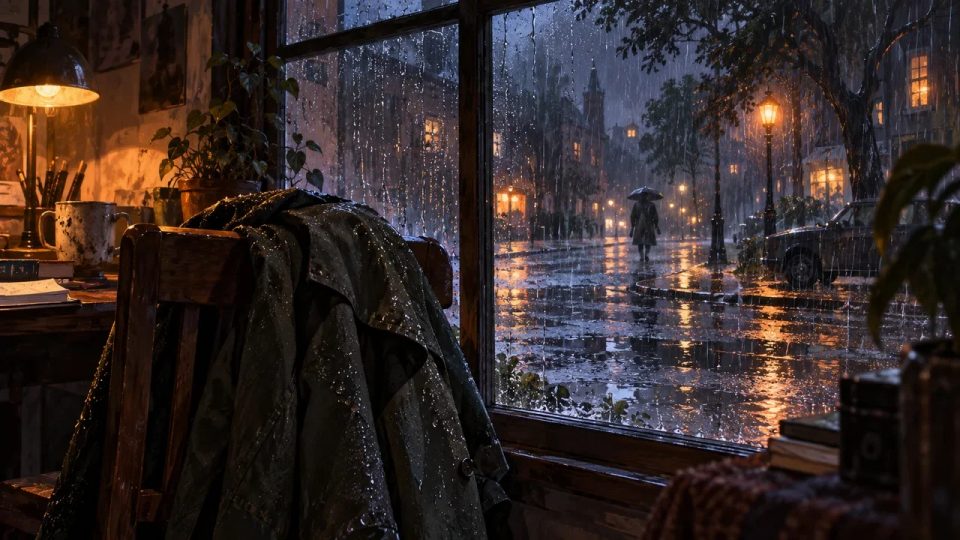
A wet coat, rain-streaked glass, and outdoor puddles together show a continuous weather state.
Production practice2026.09.23

How to Keep Weather Continuous Across Rainy-Night Branches: Check Lighting, Sound, and Clothing Together

First treat weather as an account with a starting point, levels, and an endpoint, not as decoration improvised freely per shot. The specific method has four steps: first, write a weather line for this rain, marking how it starts, intensity levels, duration periods, shelter conditions, and how it ends; second, break this line into three comparison ledgers for lighting, sound, and clothing, each recording only observable states; third, in the storyboard or node table, mark each shot with "rain level + period + shelter," so changes happen only at the event points you specify

DramaFork Editorial Team17 min read
Continue reading
At night, the same station waiting bench is revisited, with a new dent and a moved suitcase.
Production practice2026.09.23

When the Same Location Appears a Second Time, How Can Shared Shots Still Convey Story Change?

When returning to the same location a second time, shared shots must convey change. The method is: keep the location's spatial skeleton, replace at least one visible detail caused by a character's choice, and make dialogue, objects, and eyelines form a readable difference between the two visits. The location stays the same, but the character's reactions cannot be copied.

DramaFork Editorial Team14 min read
Continue reading
Three clue tokens are identified by notches, silhouettes, and texture rather than color alone.
Production practice2026.09.22

When Using Color to Distinguish Plot Clues, How Do You Also Write Shape and Position?

Start with the method: split each clue into four layers of marking—color, shape, text, and position—then let dialogue and storyboards each take on part of the recognition task. Color only handles “first-glance grouping,” shape handles “still being distinguishable in black and white or from a color-vision-deficiency perspective,” text handles “making the clue’s purpose clear,” and position handles “making the audience remember whose side and which space it appears in.” Write all four layers into the script, and recognition no longer has to rely only on red-green differences.

DramaFork Editorial Team12 min read
Continue reading
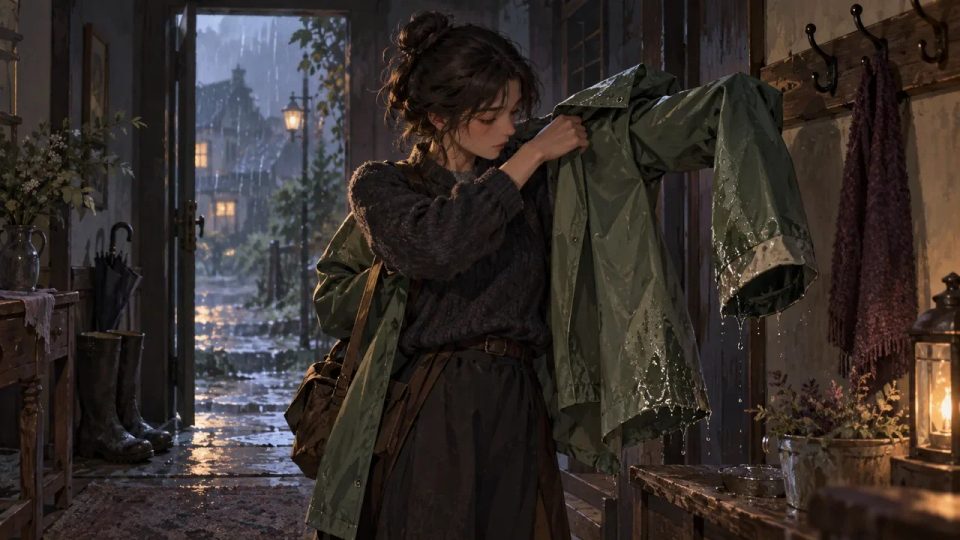
A raincoat passes from a wet doorway hook to a character's shoulders, with one dry cuff and one damp hem clearly visible.
Production practice2026.09.22

Clothes Get Wet, Dirty, or Taken Off in a Branch: How Do You Prevent a Character's State from Suddenly Resetting?

Manage clothing as an independent state line, not as an accessory description attached to a character illustration. The method has four steps: give each key garment an observable initial state; at branch nodes, write clearly "what action changed it"; give each change a recovery condition; and finally require downstream text to reference only the current state, not rewrite from impression. Below, a fictional teaching example is used to walk through the whole process; the characters, numbers, and dialogue are all made up, only to demonstrate the method.

DramaFork Editorial Team16 min read
Continue reading
A single small room uses a drawer, window latch, and coat to offer different story actions.
Production practice2026.09.22

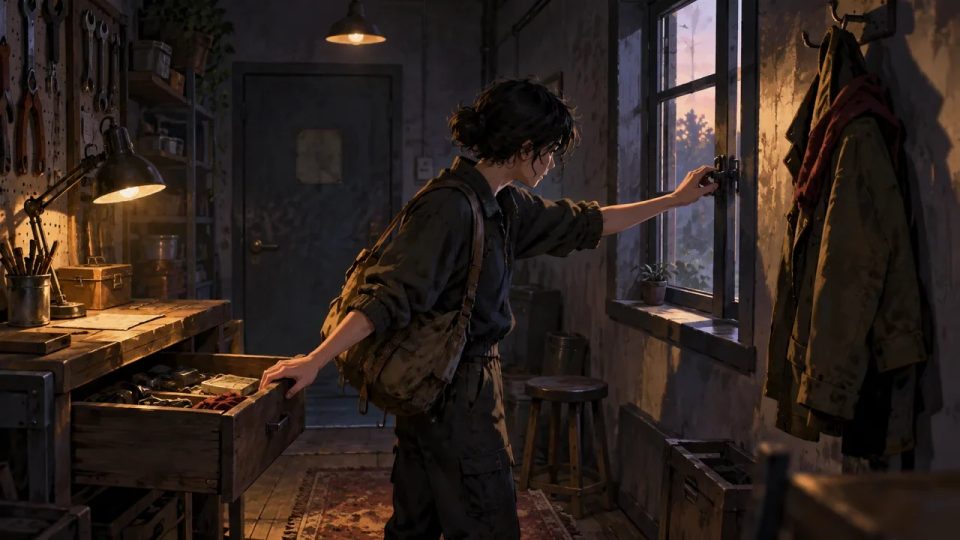
A Single-Room Interactive Short: How Can Two Choices Change Different Things?

To make two choices change different things, the approach is to first define three spatial anchors for the room, then have each choice act on a different object, and finally separate the two paths by degree of knowledge. The following uses the fictional teaching example "Repair Room" to illustrate; the characters, numbers, and dialogue are all invented for demonstration, not actual test data.

DramaFork Editorial Team12 min read
Continue reading
Two characters sit quietly beside a lamp, with an unanswered prompt object left between them.
Production practice2026.09.21

How to Write Silence in Interactive Dialogue: Give the Wait an Intent, Not Just a Blank

Silence in interactive dialogue is not the absence of content, but the character temporarily withholding content. The first thing a writer must do is give this wait an intent: is the character organizing information, refusing to answer, or inviting the other person to speak first. Different intents mean different actions, readable signals, and recovery entry points. What the player sees is not a countdown, but what the character is doing and where they can pick up the conversation.

DramaFork Editorial Team16 min read
Continue reading
A boat repairer uses his thumb to confirm a crack in the boat plank, with a short ruler left on the nearby workbench.
Production practice2026.09.21

How to Revise “The Shot Feels Cinematic”: Turn Abstract Storyboards into Observable Actions

“The shot feels cinematic” cannot be handed directly to the storyboard or video stage, because it does not tell anyone what happens in the shot. The fix is to break it into five columns: shot size, subject, action, spatial relationship, and end state. Each column should contain only one thing the camera or character can accomplish, and conflicting movement requirements should be removed. Below, a fictional teaching example is used to walk through the entire process; the numbers, dialogue, and characters in the example are not measured data.

DramaFork Editorial Team18 min read
Continue reading
A visitor outside a threshold holds an unopened invitation while a warm interior table suggests a later state, in a continuity-focused doorway composition.
Production practice2026.09.21

What State Does a Branching Video Start In and End In? Write Entrance and Exit Contracts for Each Shot

Branching video is hard not because of how good it looks, but because the pieces must connect. The fix is to write an entrance and exit contract for every shot: the entrance states where the character is, what they hold, and what they know at the start; the exit states how those three change by the end, plus the final action.

DramaFork Editorial Team16 min read
Continue reading
A character in a room hears an off-screen object fall and looks toward a half-open door.
Production practice2026.09.20

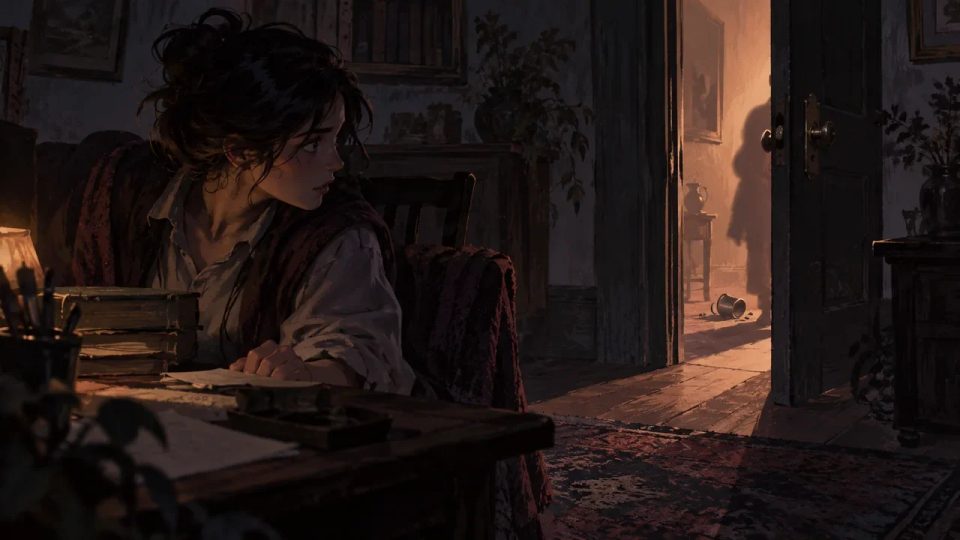
How Off-Screen Events Carry Interactive Choices: What Players Hear Must Have Verifiable Consequences

For off-screen events to carry choices, the method is to break them into three checkable things: a specific sound source, a clue that can change the state inside the scene, and a confirmation object that must appear after a choice. The storyboard author first writes down "what happened outside the door," then writes down "who inside the scene therefore moved what," and finally places the confirmation object into the shots. If any one is missing, the off-screen information is only atmosphere, and the player's choice has nowhere to land.

DramaFork Editorial Team16 min read
Continue reading
  1. 1
  2. ...17
  3. 18
  4. 19
  5. ...27

Blog categories

  • All500
  • Creation tutorials40
  • Interactive narrative60
  • Getting started11
  • Galgame Route Design25
  • Visual Novel Production25
  • Interactive Fiction Design25
  • Narrative Design for Interactive Film Games25
  • Interactive Film Accessibility10
  • Interactive Film Workflow10
  • Interactive Game Basics10
  • Interactive Film Presentation and Delivery10
  • Interactive Film Localization10
  • Interactive Film Production10
  • Narrative Mechanics11
  • Creative Collaboration11
  • Getting started1
  • Fictional Case Study10
  • Story Localization10
  • Mobile and Accessibility10
  • Acting and Staging10
  • Exploring Time and Space10
  • Relationships and Groups10
  • Resources and Constraints10
  • Information and Commitments10
  • Production Practice59
  • Product workflow34
  • Choosing tools33

From a story to a playable world.

Start with one story decision

Create a project