• Home
  • Blog
  • Gallery
  • Pricing
  • Home
  • Blog
  • Gallery
  • Pricing
Start creating

Creator blog

Better stories start hereBetter stories start here

Discover practical AI tools, interactive storytelling methods, and production lessons—from the first idea to a story people can play.

DRAMAFORKStories · Craft · Possibility
Topics
AllCreation tutorialsInteractive narrativeGetting startedGalgame Route DesignVisual Novel ProductionInteractive Fiction DesignNarrative Design for Interactive Film GamesInteractive Film AccessibilityInteractive Film WorkflowInteractive Game BasicsInteractive Film Presentation and DeliveryInteractive Film LocalizationInteractive Film ProductionNarrative MechanicsCreative CollaborationGetting startedFictional Case StudyStory LocalizationMobile and AccessibilityActing and StagingExploring Time and SpaceRelationships and GroupsResources and ConstraintsInformation and CommitmentsProduction PracticeProduct workflowChoosing tools
10 articles

Editorial / 01

Latest articlesLatest articles

Practical methods for narrative structure, visual production, and everything in between.

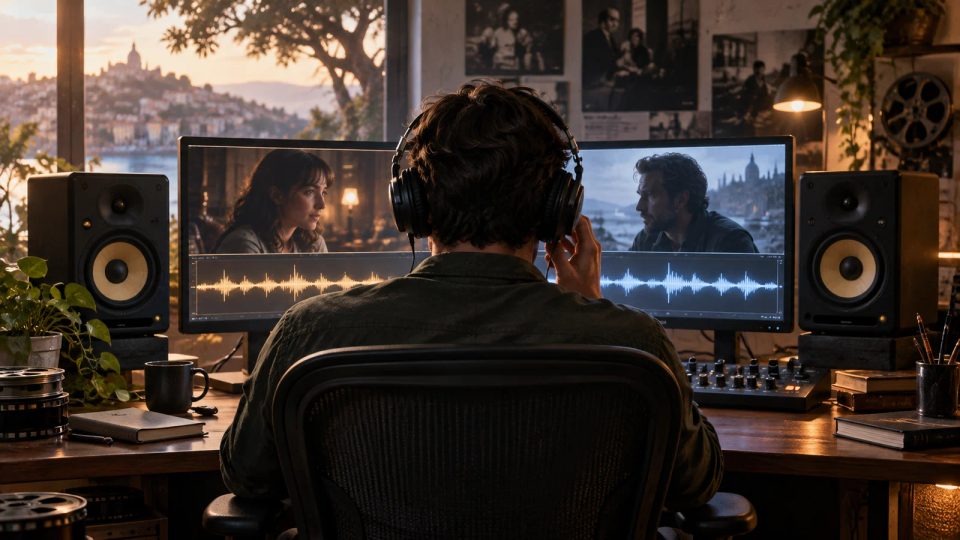
Original cinematic illustration: a headphone-wearing editor in a dim post-production studio compares adjoining dialogue and background sound. Screens show directions under a rain shelter and ferry boarding; warm and cool light falls on audio equipment. No text; not a product screenshot.Topic selection
Interactive Film Production2026.10.13

Manual Dialogue-Level Review for an Interactive Film: Avoid Repeated Volume Adjustments Between Branches

Keep the device, playback settings and volume fixed, then listen continuously along actual routes. Record missed words, background events and the urge to adjust volume separately to distinguish weak dialogue, masking and abrupt joins.

DramaFork Editorial Team15 min read
Continue reading

The next move is yours

From a story to a playable world.From a story to a playable world.

Do not wait for every video to be finished before testing the story. Build the characters, rules, and branches first, then let real choices guide what you make next.

Start with one story decision

Try a playable example

From a story to a playable world.

Create interactive narrative games with DramaFork: connect scripts, characters, shots, and choices into a playable first version.

Explore & play

  • Explore gallery
  • Interactive film
  • Text game
  • Character IP
  • Rankings
  • Works index

Create & collaborate

  • My creations
  • Film studio
  • Text-game studio
  • Character studio
  • Creator partnership

Reading room

  • Creator blog
  • Story topics
  • Article archive

Story guides

  • Interactive storytelling
  • Making interactive films
  • Designing text games
  • Character and worldbuilding

Plans & credits

  • Pricing
  • Credits

Policies & support

  • Privacy
  • Terms
  • Cookies
© 2026 DramaFork/DramaFork · Interactive narrative games
Press Enter to send, or drag away and release.
Original cinematic editorial illustration without text: a sound editor at a mixing desk connects abstract audio tracks to two doorway compositions, one with a character entering a corridor and one with the character staying inside. A concept for music exit planning, not a product screenshot.
Interactive Film Production2026.10.13

How to End Branch Music in an Interactive Film: Exits for “Leave” and “Stay”

Confirming a choice need not stop the melody immediately. A music cue table separates the outgoing cue’s ending, the transition bed and the new branch’s entry, with a fallback for clicks that miss an exit.

DramaFork Editorial Team15 min read
Continue reading
Original cinematic editorial illustration: a continuity supervisor checks three off-white envelopes on a side-lit workbench—one unopened, one with its flap open and one resealed with paper tape. Letter paper and reference photos lie nearby. No text and no product screenshot.
Interactive Film Production2026.10.13

How to Write an Interactive Film Prop Version Ledger: One Letter Must Not Change Silently Between Branches

Give the unopened, opened and resealed letter separate IDs. Record each shot’s entry conditions, actions and exit state in one ledger so continuity staff know which prop to use and editors know which assets can be shared.

DramaFork Editorial Team15 min read
Continue reading
Original text-free cinematic illustration: in a dim editing room, a material manager sorts archive-room shots, reverse shots and alternative performances. Screens show a woman with an envelope and a man with varied expressions; grouped cards lie on the desk. Not a product screenshot.
Interactive Film Production2026.10.13

Archive Multicamera Interactive Film Footage: Four Fields for Cameras, Routes and Performances

Do not pair shot and reverse shot by take number alone. Label clip ID, camera, performance state and applicable routes, then use source mappings and pairing records to hand the editor clear conditions for alternative performances.

DramaFork Editorial Team14 min read
Continue reading
Original cinematic editorial illustration: at a dim workstation, a colorist compares calm and tense corridor images that both retain gray-green walls, warm wall lights, and an elevator at the far end. The two routes return to the same space. No text; not a product screenshot.
Interactive Film Production2026.10.13

Interactive Film Color Grading: Two Routes, One Shared Corridor

When calm and tense routes converge on one shot, establish the corridor’s visual identity before limiting emotional differences. A grading brief specifies which shadow region to adjust, the brightness direction, details that must remain recognizable, and when to review transitions or change the edit.

DramaFork Editorial Team17 min read
Continue reading
Original cinematic editorial illustration: in a dim duty office at an old station, a filmmaker leans over storyboard frames with a gap where a handover belongs. Beside them, one hand holds a copper key and another reaches to take it. No text; not a product screenshot.
Interactive Film Production2026.10.13

Interactive Film Pickup Shots: Fix the Missing Consequence

When a choice is missing the shot of an object being handed over, first establish whether you need the action, evidence of the result, or no new information at all. A pickup decision sheet separates essential actions, substitute inserts, and cases needing no pickup.

DramaFork Editorial Team16 min read
Continue reading
Original cinematic editorial illustration: a producer stands between adjoining study and reception-room sets. Intact and opened envelopes sit on a table, two actors wait separately, and colored blank cards represent route scheduling. No text or product screenshot.
Interactive Film Production2026.10.13

Schedule an Interactive Film by Set: Separate Story Routes from Shooting Order

You do not need to move the crew between two rooms in story order. Connect route and shooting lists with stable IDs, sort by set, prop state and actor grouping, then check each required asset before striking the set.

DramaFork Editorial Team14 min read
Continue reading
Original text-free cinematic illustration: a director beside a camera watches two actors arguing across a table in a dim rehearsal room, a key between them. Three compositions show probing eye contact, shared focus in trust and separate gazes in distance. Not a product screenshot.
Interactive Film Production2026.10.13

Filming an Argument in an Interactive Film: A Matrix for Three Relationship Outcomes

Keep factual lines, props and continuity positions fixed before changing how two characters ask, listen and respond. A performance matrix turns probing, trust and distance into complete passages the editor can choose from.

DramaFork Editorial Team16 min read
Continue reading
Original cinematic editorial illustration: an editor at a dim workstation connects canopy rain to duty-room and wet-corridor routes, with cool rain light and warm interior light; no text or product screenshot.
Interactive Film Production2026.10.13

Sound Bridges in an Interactive Film: Continuous Rain, Route-Specific Reveals

Shared rain can continue across a cut, while dialogue and clues need separate entry conditions. A three-part handoff table distinguishes information reveals from changes in rain tone on entering a room and volume on closing its door.

DramaFork Editorial Team17 min read
Continue reading
Original cinematic editorial illustration: in a dim corridor, an actor waits outside a closed studio door with a key at waist level while a director beside the camera observes the pose. The lock and the hand that has yet to rise are the visual focus. No text; not a product screenshot.
Interactive Film Production2026.10.13

How to Allow Room for Editing in Interactive Film Choice Shots: Connecting a Doorway Wait to Branches

A character holding a key while awaiting a choice is a different shot from a character already opening the door. Plan three sections—lead-in footage as the actor settles into the waiting pose, the waiting section, and branch transitions—to separate repeatable micro-movements from narrative actions that happen only once, and record possible cut points on a shoot card.

DramaFork Editorial Team18 min read
Continue reading

Blog categories

  • All500
  • Creation tutorials40
  • Interactive narrative60
  • Getting started11
  • Galgame Route Design25
  • Visual Novel Production25
  • Interactive Fiction Design25
  • Narrative Design for Interactive Film Games25
  • Interactive Film Accessibility10
  • Interactive Film Workflow10
  • Interactive Game Basics10
  • Interactive Film Presentation and Delivery10
  • Interactive Film Localization10
  • Interactive Film Production10
  • Narrative Mechanics11
  • Creative Collaboration11
  • Getting started1
  • Fictional Case Study10
  • Story Localization10
  • Mobile and Accessibility10
  • Acting and Staging10
  • Exploring Time and Space10
  • Relationships and Groups10
  • Resources and Constraints10
  • Information and Commitments10
  • Production Practice59
  • Product workflow34
  • Choosing tools33

From a story to a playable world.

Start with one story decision

Create a project