• Home
  • Blog
  • Gallery
  • Pricing
  • Home
  • Blog
  • Gallery
  • Pricing
Start creating

Creator blog

Better stories start hereBetter stories start here

Discover practical AI tools, interactive storytelling methods, and production lessons—from the first idea to a story people can play.

DRAMAFORKStories · Craft · Possibility
Topics
AllTool comparisonsCreator guidesCreation tutorialsInteractive narrativeGetting startedGalgame Route DesignVisual Novel ProductionInteractive Fiction DesignNarrative Design for Interactive Film GamesInteractive Film AccessibilityInteractive Film WorkflowInteractive Game BasicsInteractive Film Presentation and DeliveryInteractive Film LocalizationInteractive Film ProductionNarrative MechanicsCreative CollaborationGetting startedFictional Case StudyStory LocalizationMobile and AccessibilityActing and StagingExploring Time and SpaceRelationships and GroupsResources and ConstraintsInformation and CommitmentsProduction PracticeProduct workflowChoosing tools
193 articles

Editorial / 06

Search resultsSearch results

Articles related to “interactive film”

Players use text and options to imagine interactive story worlds through illustrationsMost relevant
Getting started2026.10.12

The 'imagination dividend' of word games: Why is immersion stronger without art?

In an age of ever-dazzling visuals, the text game seems to move backward: no 3D scenes, no live action, only lines of text and choices. Yet it is what keeps players inside its world long after the screen goes dark. This article looks at the text game's most unique asset: it hands the work of imagery to the player's imagination


DramaFork Editorial Team4 min read
Continue reading

The next move is yours

From a story to a playable world.From a story to a playable world.

Do not wait for every video to be finished before testing the story. Build the characters, rules, and branches first, then let real choices guide what you make next.

Start with one story decision

Try a playable example

From a story to a playable world.

Create interactive narrative games with DramaFork: connect scripts, characters, shots, and choices into a playable first version.

Explore & play

  • Explore gallery
  • Interactive film
  • Text game
  • Character IP
  • Rankings
  • Works index

Create & collaborate

  • My creations
  • Film studio
  • Text-game studio
  • Character studio
  • Creator partnership

Reading room

  • Creator blog
  • Story topics
  • Article archive

Story guides

  • Interactive storytelling
  • Making interactive films
  • Designing text games
  • Character and worldbuilding

Plans & credits

  • Pricing
  • Credits

Policies & support

  • Privacy
  • Terms
  • Cookies
© 2026 DramaFork/DramaFork · Interactive narrative games
Press Enter to send, or drag away and release.
A conceptual diagram showing the relationship between interactive video game branching trees, multiple plot nodes, and production costs
Getting started2026.10.12

A Gamer's Perspective

When people first plan an interactive film, they casually write down "seven endings and a hundred choices," assuming more branches mean better value. Only in production do they discover that the cost is not addition but multiplication. Every truly branching ending multiplies the footage, voice work, and post-production down the tree. This article does the math behind branching

DramaFork Editorial Team4 min read
Continue reading
Independent developers use AI tools to create interactive narrative game prototypes in front of computers
Getting started2026.10.10

Can one person also do interactive video games? Interactive Narrative Toolbox for Independent Developers in the AI Era

Five years ago, making an interactive film meant assembling a team, hiring actors, renting locations, shooting for weeks, booking voice actors, and burning hundreds of thousands of yuan. Making a text game or Character IP meant writing hundreds of thousands of words of script. Today, someone who can use AI might produce a playable Demo in a week. This is the "hands-on manual" for indie developers and content creators — how the barriers fell, and how you should start.

DramaFork Editorial Team14 min read
Continue reading
An interactive film game scene, text dialogue, and character avatar merged into one narrative interface
Getting started2026.10.10

Three Species Are Colliding: The Boundaries Between Interactive Film Games, Text Games, and Character IP Are Dissolving

Interactive film games, text games, and character IP are rapidly converging under the influence of generative AI and changing user experience demands. This article examines their differences, crossover cases, product matrix strategies, and the possible future form of seamless interactive storytelling.

DramaFork Editorial Team13 min read
Continue reading
Viewer choosing a branching path in an interactive film
Getting started2026.10.09

What Is an Interactive Film? How It Works and Key Examples

An interactive film is a cinematic work in which viewers influence what happens next through choices. Learn how the format works, how it differs from FMV games, and which examples define its history.

DramaFork Editorial Team20 min read
Continue reading
A Fictional Scene-Change Story: How Backstage Decisions Change Onstage Information — original editorial cover illustration
Fictional Case Study2026.10.07

A Fictional Scene-Change Story: How Backstage Decisions Change Onstage Information

Turn prop swaps and entrance order into traceable performance rules: what is said first, what is confirmed, and what remains unresolved when the curtain falls. Includes a reusable scene-change causality sheet and a complete walkthrough.

DramaFork Editorial Team17 min read
Continue reading
How can the final images reflect choices made along the way without relying on a closing voice-over? — original editorial cover illustration
Staging and Expression2026.10.07

How can the final images reflect choices made along the way without relying on a closing voice-over?

Repairing the old radio station completes the task. Who sits at the microphone, who can take over, and who still has to wait reveal what the choices along the way have changed. Use an action mapping table to turn those decisions into three short final scenes.

DramaFork Editorial Team18 min read
Continue reading
How Can You Preserve Player Choice Consequences When a Complex Moving Scene Cannot Be Filmed? — original editorial cover illustration
Staging and Presentation2026.10.07

How Can You Preserve Player Choice Consequences When a Complex Moving Scene Cannot Be Filmed?

Replace complex action with preparation, omitted execution, and a final result check. Use a three-part action replacement table to preserve player choices, prop continuity, and differences that shape subsequent actions.

DramaFork Editorial Team19 min read
Continue reading
How Can Reaction Shots Before a Major Choice Avoid Suggesting One Right Answer? — original editorial cover illustration
Staging and Expression2026.10.07

How Can Reaction Shots Before a Major Choice Avoid Suggesting One Right Answer?

Separate character reactions into useful information, compositional emphasis, and steering cues, then check each in turn. A two-person task assignment shows how to preserve personalities and differences between options without letting the camera announce the answer for the player.

DramaFork Editorial Team18 min read
Continue reading
When the Player Chooses Silence, How Should the Camera Continue? — original editorial cover illustration
Staging and Performance2026.10.07

When the Player Chooses Silence, How Should the Camera Continue?

Silence can advance a conflict, but it cannot admit an accusation on the player’s behalf. Use a staging card to separate player intent, character assumptions, and narrative facts, then design three continuations that show where misunderstandings come from and leave room to correct them.

DramaFork Editorial Team18 min read
Continue reading
Why Does the Same Help Make Some People Grateful and Others Feel Their Boundaries Have Been Crossed? — original editorial cover illustration
Relationships and Groups2026.10.07

Why Does the Same Help Make Some People Grateful and Others Feel Their Boundaries Have Been Crossed?

Handling an order well does not necessarily mean handling a relationship well. Use a help workflow table to distinguish asking first, acting as authorized, and acting first and telling afterward, giving gratitude, frustration, and subsequent actions concrete grounds.

DramaFork Editorial Team16 min read
Continue reading
A change log linking revision reasons, a new bridge action, and affected assets.
Product workflow2026.09.30

How to Write a Change Log for Interactive Stories: Separate Reasons, Changes, and Affected Routes

A change log should have three columns: reason, change, and affected routes. The reason explains "why it changed," the change states "what changed," and the affected routes list "which assets and branches need review." A fictional teaching example runs throughout: an interactive film game originally had a "broken bridge" node in Chapter 2, where players had to find a rope to cross the river; the author later changed the broken bridge to a "delayed ferry," because the original design made a gentle route feel abrupt. All names, numbers, and dialogue below are fictional.

DramaFork Editorial Team12 min read
Continue reading
Two creators turn vague feedback into a revision ticket pointing to a specific scene action.
Product workflow2026.09.29

Two Creators Take Turns Reviewing: How Do You Turn "This Is Wrong" Into an Actionable Revision Ticket?

Turning "this is wrong" into a revision ticket has only one core action: make every piece of feedback land on the seven fields of version, node, symptom, expectation, reason, responsibility, and review. When two people take turns reviewing, each first fills out a ticket independently, then merges conflicting items, and only then touches the draft. Below, a fictional teaching example is used to walk through the whole process; the people, dialogue, and values are not actual test data.

DramaFork Editorial Team14 min read
Continue reading
A production process passes three review lamps before planning, script, and high-cost assets.
Product workflow2026.09.27

When to Pause Auto-Advance: Set Three Human Review Questions for a DramaFork Project

Auto-advance is good for quickly laying out the parts you have already thought through; pause only where "the cost of rework will spill over into many downstream steps." For a two-person small team, it is recommended to set only three checkpoints: before the plan is finalized, before the script is converted to storyboards, and before high-cost video batch generation. Each checkpoint answers only one question; once answered, either release or return it, without requiring confirmation at every step.

DramaFork Editorial Team15 min read
Continue reading
Preview screen frozen at a doorway, with diagnostics grouped beside it by script, interaction, and assets.
Product workflow2026.09.27

How to Group Issues in a DramaFork Playable Preview: Which Step Should Story, Interaction, and Assets Each Go Back To for Fixes?

When issues appear in a playable preview, don't rush to change nodes. Use a one-sentence symptom record to clearly write down "who saw what at what moment," then determine whether it belongs to story, interaction, or assets. Story issues go back to planning or script, interaction issues go back to interaction nodes, and asset issues go back to storyboard, style, character assets, or video; after changes, only recheck the affected downstream steps, and do not treat a preview that runs successfully as passing release testing.

DramaFork Editorial Team15 min read
Continue reading
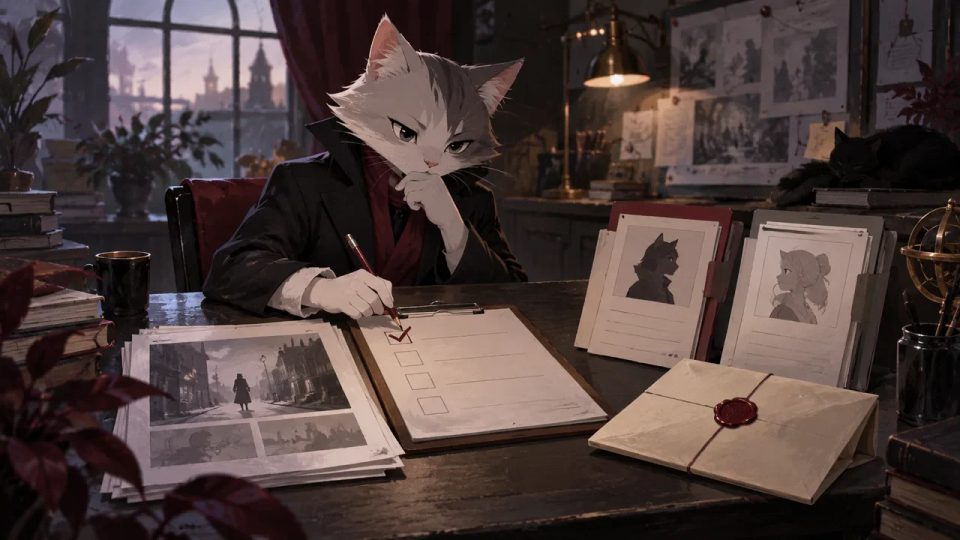
A cat editor checks scene cards, character files and a sealed envelope at a script review desk.
Product workflow2026.09.25

Before DramaFork Scripts Enter Storyboarding, How Do You Do an Entry Check?

Before entering storyboarding, you can first check four things: whether the scene has observable actions, whether the choices have concrete consequences, what each character knows at this moment, and what condition this scene ends on. An ambiguous script, once it enters storyboarding, will be turned into concrete images; if the direction of that concretization differs from the author's intent, you need to go back and adjust. Therefore, when you find that the core conflict is unresolved, revise the script text first, then continue generating storyboards.

DramaFork Editorial Team16 min read
Continue reading
A cat editor adjusts miniature cities beside a model harbor hall.
Product workflow2026.09.25

How Does DramaFork Check for Mutually Contradictory Requirements During Planning?

The most common problem in planning is that each requirement looks reasonable on its own, but they undermine each other when put together. The check is not to fill out the creative sheet again, but to pull out five types of requirements and compare them pairwise: story goal, player identity, scale, form, and ending promise. The method is to first write them as judgeable short sentences, then ask pair by pair "can these two hold at the same time," write the ones that cannot into a conflict list, and finally use a contraction plan to change one of them rather than keeping all five.

DramaFork Editorial Team16 min read
Continue reading
Three clue tokens are identified by notches, silhouettes, and texture rather than color alone.
Production practice2026.09.22

When Using Color to Distinguish Plot Clues, How Do You Also Write Shape and Position?

Start with the method: split each clue into four layers of marking—color, shape, text, and position—then let dialogue and storyboards each take on part of the recognition task. Color only handles “first-glance grouping,” shape handles “still being distinguishable in black and white or from a color-vision-deficiency perspective,” text handles “making the clue’s purpose clear,” and position handles “making the audience remember whose side and which space it appears in.” Write all four layers into the script, and recognition no longer has to rely only on red-green differences.

DramaFork Editorial Team12 min read
Continue reading
Two characters sit quietly beside a lamp, with an unanswered prompt object left between them.
Production practice2026.09.21

How to Write Silence in Interactive Dialogue: Give the Wait an Intent, Not Just a Blank

Silence in interactive dialogue is not the absence of content, but the character temporarily withholding content. The first thing a writer must do is give this wait an intent: is the character organizing information, refusing to answer, or inviting the other person to speak first. Different intents mean different actions, readable signals, and recovery entry points. What the player sees is not a countdown, but what the character is doing and where they can pick up the conversation.

DramaFork Editorial Team16 min read
Continue reading
  1. 1
  2. ...5
  3. 6
  4. 7
  5. ...11

Blog categories

  • All511
  • Tool comparisons6
  • Creator guides2
  • Creation tutorials43
  • Interactive narrative60
  • Getting started11
  • Galgame Route Design25
  • Visual Novel Production25
  • Interactive Fiction Design25
  • Narrative Design for Interactive Film Games25
  • Interactive Film Accessibility10
  • Interactive Film Workflow10
  • Interactive Game Basics10
  • Interactive Film Presentation and Delivery10
  • Interactive Film Localization10
  • Interactive Film Production10
  • Narrative Mechanics11
  • Creative Collaboration11
  • Getting started1
  • Fictional Case Study10
  • Story Localization10
  • Mobile and Accessibility10
  • Acting and Staging10
  • Exploring Time and Space10
  • Relationships and Groups10
  • Resources and Constraints10
  • Information and Commitments10
  • Production Practice59
  • Product workflow34
  • Choosing tools33

From a story to a playable world.

Start with one story decision

Create a project