How do you order dialogue on repeat visits without leaving it to chance?
Across four visits to the same repair shop, unresolved matters determine which line comes first. A priority checklist separates registered entries from eligible candidates and fault reports from inspection conditions, then orders responses to changes and everyday conversation. An inspection alone does not close a fault event: successful repair must still be confirmed.
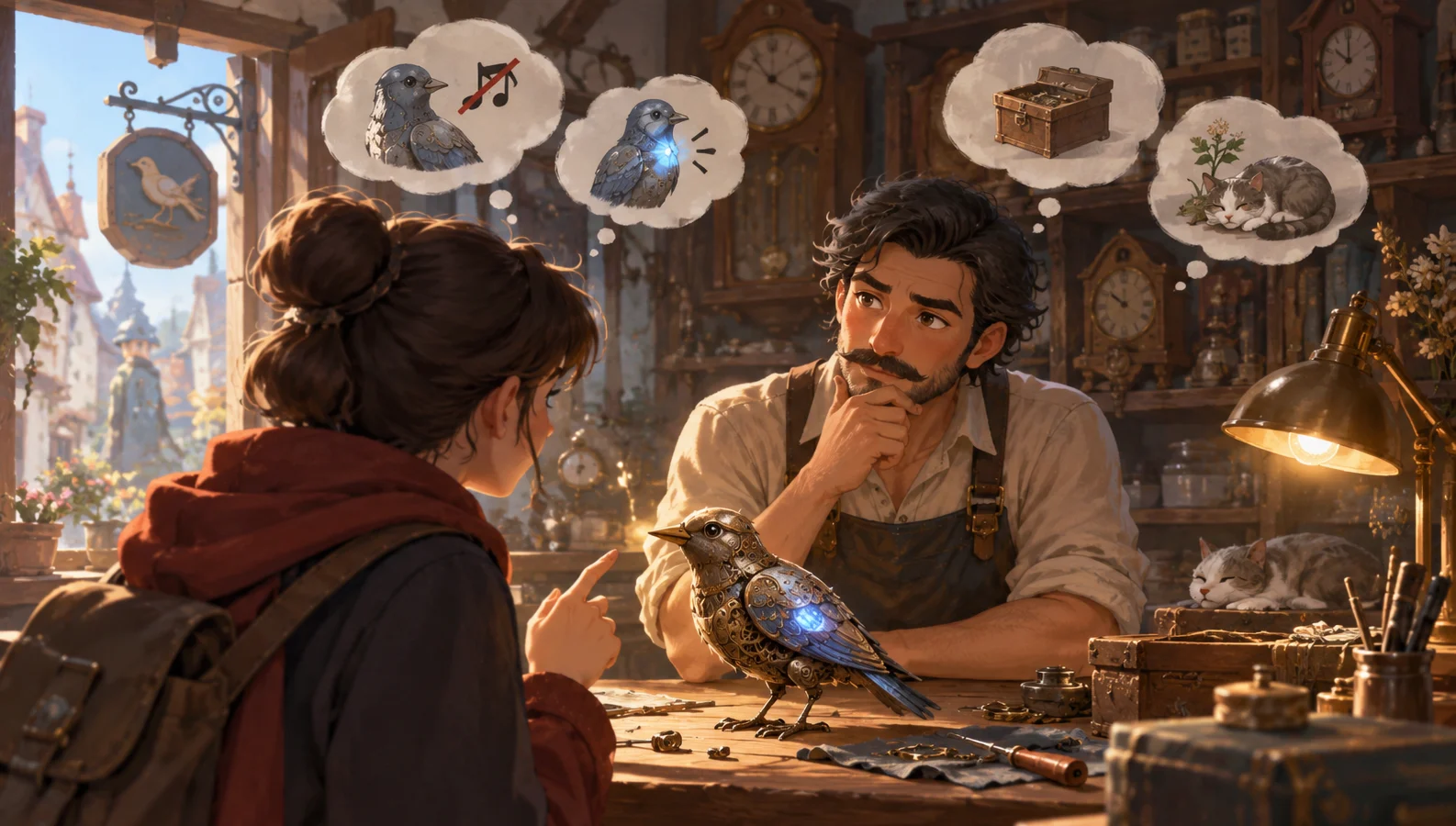
Order the issues before choosing the lines
When the player returns to the repair shop, first select an unresolved event that still needs explaining or can currently move forward. Then respond to changes that have not yet been acknowledged, and finally turn to everyday topics. Set an order within each tier, too, so a random draw cannot put small talk ahead of a new fault and obscure it.
“Handle it first” means explaining the problem and the next step first, not necessarily fixing it on the spot. Once a fault is waiting for a part and the waiting conditions have been explained, the conversation can move to another topic. When the part arrives, reassess whether the event qualifies as a candidate again.
The Echo Repair Shop, its owner Tang, and the four visits below are fictional teaching examples. They are not real user cases, measured test results, or features already implemented in DramaFork. The author maintains the tracking sheet to organize the story; it is not guidance for real repairs.
Yarn Spinner provides strategies for selecting candidate dialogue, and querying candidates should not change state, as explained in the documentation. The three-tier ordering and tracking method in this article are original designs, not priorities prescribed by that documentation.
A reusable priority checklist
First distinguish “registered,” “eligible,” and “ranked.” Events a character does not know about and changes that have not happened cannot qualify. An action waiting on external conditions cannot happen early, but a new fault that has not yet been explained can still be reported first.
| Tier | Conditions for selection this time | Order within the tier | What to record afterward |
|---|---|---|---|
| Unresolved events | A new problem has not been explained, or an existing problem meets the conditions for progress | Those blocking the current commission first; the rest in order of occurrence | Record explanation and waiting separately; successful repair requires separate story confirmation |
| Responses to changes | A known change has not been acknowledged and is still relevant | Those related to the current commission first; the rest in order of change | Mark as acknowledged after the full response is spoken |
| Everyday topics | Neither of the first two tiers has anything waiting to be said, or the player explicitly chooses small talk | Never-discussed topics first; previously discussed topics by longest time since last discussed | Record which topic was discussed this time |
If entries remain tied, select by ascending unique ID assigned in advance by the author. Include the ID in the entry name; do not change it on the fly.
Fill in seven fields for each entry: entry name, how the character learned about it, eligibility conditions, tier, current state, exit conditions, lines to deliver. Eligibility conditions and lines can branch by state. Exit conditions must distinguish temporarily leaving the candidate pool from actual completion.
Example blue-light card: Entry name: “Event 02 · Blue-light fault”; How learned: “The player points it out in person”; Eligibility conditions: “May report when it first dims and has not yet been explained; after explanation, inspection requires confirmation that the power unit is in hand and the hourly-chime inspection is complete”; Tier: “Unresolved events”; State: “Not yet explained”; Exit conditions: “After the full explanation, switch to waiting and temporarily leave the candidate pool; return when conditions are met. Finishing the inspection does not mean completion: close the event only when the story confirms that the blue light has been successfully repaired”; Lines: “Report: The blue light has dimmed too. Once the power unit arrives and the hourly-chime inspection is done, we’ll check it. Inspection: Now it’s the blue light’s turn.”
Becoming a candidate does not change state. Mark the issue as explained only after the report and waiting conditions have been delivered in full. Record inspection completion separately from successful repair. If the fault remains after inspection, keep the event open and specify the next action and its conditions. Each speaking turn should address one main issue. Select the next entry only if the player stays in the scene. Leaving ends the conversation; unspoken entries wait until the next visit.
Work out the opening line for each of four visits
Tang accepts a commission to repair a fictional bird that announces the time. The everyday entries are numbered in advance as “Everyday 01 · The windowsill cat” and “Everyday 02 · The old market sign.” Neither has been discussed initially.
First visit: register the original fault first. The player brings in a bird that no longer announces the time. The hourly-chime fault and both small-talk entries are registered, but only the hourly-chime event qualifies this time; small talk is not yet eligible. Tang says, “It didn’t make a sound on the hour. The last time it chimed, was that before you set out or after you crossed the bridge?” After the player answers, the story confirms that a power unit is needed. The record becomes “Explained; waiting for the power unit,” not complete.
Second visit: a new fault takes precedence over a cosmetic change. The player has not brought the power unit but points out that the blue light on the bird’s wing has dimmed too. Tang also sees that the player is wearing a new apron. The original fault is still waiting, while the blue light meets the conditions for its first report, so Tang begins, “The blue light has dimmed too. Once the power unit arrives and the hourly-chime inspection is done, we’ll check it.” Only after the full line is spoken is the event marked as explained and waiting. This does not imply that it has been inspected or its cause identified. The apron response is deferred, and small talk remains ineligible.
Third visit: meeting the conditions brings unfinished events back to the front. The player returns with the power unit and names the bird “Chime” in front of Tang. After confirming receipt of the item, Tang first says, “You’ve brought the power unit. Let’s get back to finding out why it won’t chime.” The hourly-chime event can advance, while the blue light still awaits completion of the prerequisite inspection.
When the hourly-chime inspection action ends, record only “Hourly-chime inspection complete.” That makes the blue-light inspection eligible; whether the hourly-chime fault can be closed depends separately on the repair result. This example assumes that the story then confirms that the bird can announce the time again. Only then is the hourly-chime fault marked complete. Next, proceed with the blue-light inspection and repair, closing that event after the story confirms the light is working again. If the hourly chime is still not fixed, retain the event and reorder it according to the conditions for its next steps. If the player leaves midway, do not tick off the blue light along with the hourly-chime event.
After both repairs are confirmed, Tang says, “Chime—that’s easier to remember than ‘nameless bird.’” Although the naming came after the apron change, it relates to the commission and gets a response first. The player then takes the bird and leaves, ending the conversation. The apron entry has still not been spoken.
Fourth visit: finish valid responses, then move to everyday conversation. Both faults have been confirmed repaired, and the name has been acknowledged. This time, the player stays to chat. If they are still wearing the new apron, Tang first says, “That new apron of yours has really roomy pockets.” Mark the change as acknowledged after the line is spoken. If the player has switched back to the old apron, remove the entry. Only then do everyday topics become eligible. Neither has been discussed, so the IDs select the cat: “It’s asleep in an empty box again. Did you see it last time, too?” While the apron still awaits a response, the cat is not the opening line on arrival.
Waiting, interruptions, and conflicts between old and new information are the common failure points
If a waiting fault monopolizes every opening, it becomes repeated nagging. Separate “unfinished” from “has something to say this time.” When the conditions have not changed, do not repeat the full explanation. If the player actively asks about progress, give the corresponding reply.
Treating a mere mention as completion leaves nobody to respond when the power unit is brought back. Keep the event, and put conditions such as receiving the item into the branch that restores candidate eligibility.
When dialogue is interrupted, record only the completed part. If Tang has only said “The blue light has…” when the player leaves, the waiting conditions have not been explained. The next visit can use a shorter restatement, but it cannot assume the player heard the rest. The author must mark the point at which the explanation is complete.
When the same object changes repeatedly, do not queue up and recite every old version. If the blue light is working again, remove the “just dimmed” change response. Simply observing that it is working again still cannot replace story confirmation of successful repair. Whether to keep investigating an unknown cause requires its own conditions; the old change entry alone cannot decide it.
Choose a suitable alternative and check the order
If all four visits and their prerequisite actions are strictly fixed, you can write four dialogue segments keyed to visit count. If the player can forget the power unit, turn back, or skip steps, advancing by visit count may announce progress too early. Selecting entries by their conditions is more suitable.
With many everyday topics, random tie-breaking is another option: replace the IDs with a random choice only when candidates are in the same tier, have equal eligibility, and remain tied after the ordering above. Randomness does not decide whether faults or small talk matter more. This article uses fixed IDs; choosing the cat on the fourth visit is not a random result.
When the player explicitly says, “Today I only want to talk about the cat,” the cat topic may qualify. If any pending matter still needs explaining, briefly explain it first, then move to the chosen topic. Waiting matters that have already been explained and whose conditions have not changed need no further reminder, while their fault states remain recorded.
Finally, check the design on paper: with no new fault on the second visit, does the apron response come first instead? Without the power unit on the third visit, do both inspections keep waiting? If an inspection is complete but repair is unconfirmed, does the fault remain open? If the player returns immediately after both repairs are confirmed, do repeated fault reports stop? Also check that the blue-light report does not require the item, that inspection meets its prerequisites, and that everyday-topic eligibility and tie-breaking IDs are correct. Write the opening line beside the state changes to check that each selection has a basis. This article does not claim these paths have been validated through real playtesting.