Does an Interactive Game Need Choice Buttons? Compare Three Input Methods
Choosing a line, typing an action and manipulating objects can all express the intent to collect a letter. A comparison card shows what each accepts and distinguishes successful input from successful action.
Introduction
An interactive game need not use choice buttons. You can select prewritten words, type an intended action, drag objects, move with keys or turn a handle. What matters is not your finger’s movement but what the game understands the input to mean and what it lets the character accomplish.
In an unfamiliar interface, first look for three things: your goal, accepted input and where results appear. Let the same letter-collection intention pass through three entry methods and see where their differences lie.
1. Fix the task before comparing input methods
The archive-room task below is an original fictional teaching example, not a real user case, tested result or product feature. The three versions are designs for comparison.
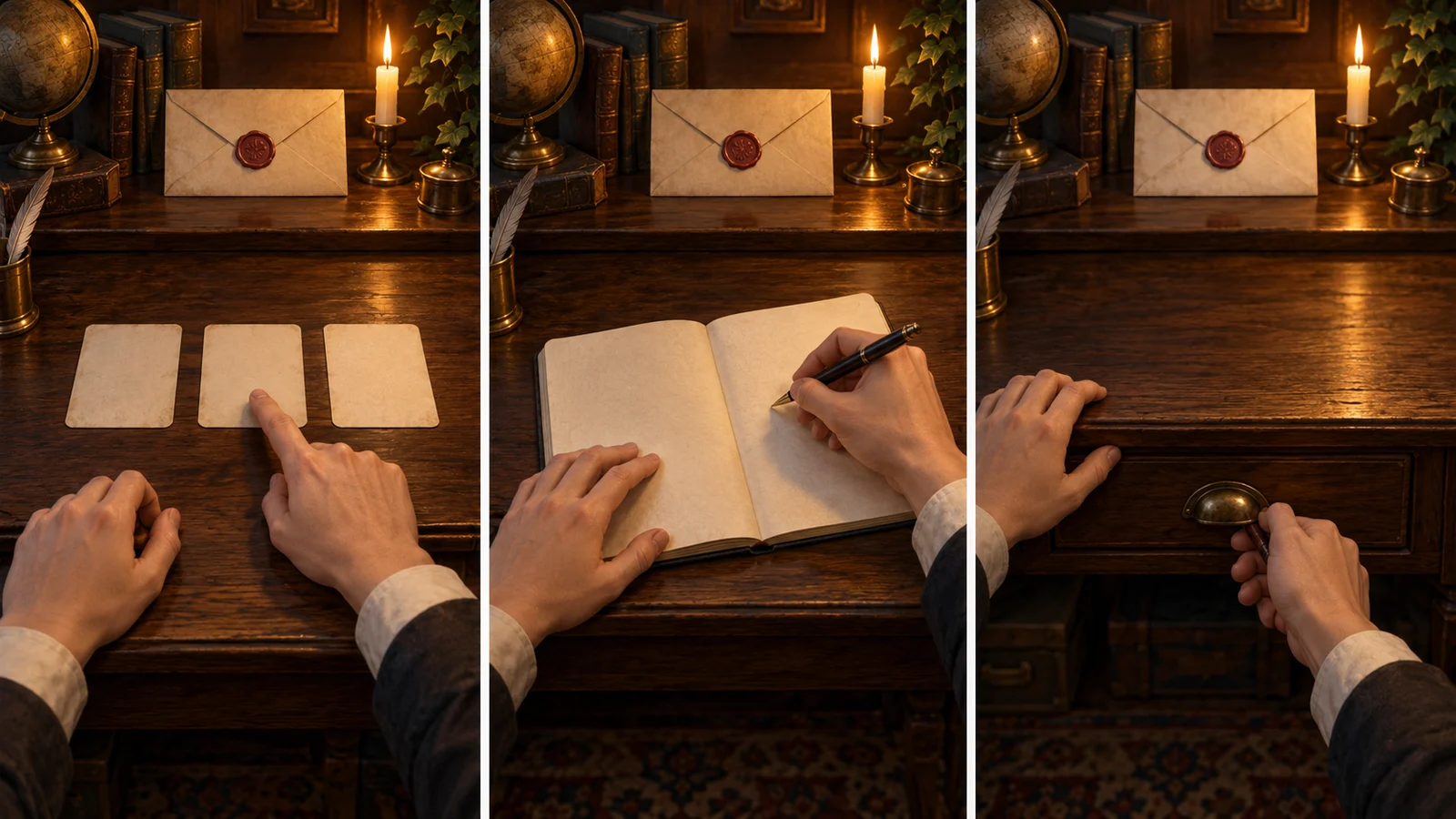
You play a courier collecting a sealed letter from an archive-room desk. The custodian requires checking a collection slip, then signing for receipt before taking the letter. The slip is in a drawer under the desk, and the envelope must not be opened. Completion requires a signed collection record and the sealed letter in your carried items.
“I want to take the letter” is intent; “check first, then sign” is a rule; “letter collected and seal intact” is the goal state. Clicking, typing and dragging express actions. They can serve one task without each belonging to a separate game type.
“Interactive game” here is a broad working term, not a universally standardized independent type; most games already have interaction. Interactive film and text adventure may emphasize narrative media or presentation traditions. Input concerns participation; goals and rules concern progression. These perspectives overlap rather than form one rigid classification. Narrative examples are used here, but action and puzzle games can be observed through the same perspectives.
2. Choice buttons: select an already expressed action
The choice version first shows “Ask the custodian to inspect the slip,” “Open the drawer,” and “Take the letter directly.” Select the drawer, see the slip, then choose “Submit the slip for checking.” You need not compose a sentence; judge which offered action matches your intention.
Option wording should convey the action’s weight. “Ask where the letter is going” must not become “Take it by force” when clicked. One promises a question; the other changes possession. “All right” needs context to clarify agreement to sign or temporarily leave.
Choices narrow expression. If “Ask the custodian to fetch the slip” is absent, that does not prove it impossible in the story world, only unavailable through this entry. Designers can add that route or explain the custodian is busy and ask you to retrieve it.
“Continue playback” usually controls presentation progress, not the character’s agreement to collect. Even with one mouse button, distinguish playback control from story decisions by actual effect.
3. Text input: writing an action does not make it executable
In the text version, type “Open the drawer under the desk and take out the collection slip.” A design may recognize two successive actions or require one action at a time. Explain supported scope before input; otherwise beginners do not know whether to write dialogue, a command or an entire story.
Suppose this version accepts “inspect, open, take, submit, sign” and processes one action at a time. After “Open the drawer,” it replies “The drawer is open; the collection slip is inside.” Only “Take the slip” changes its location. Freedom is mainly in wording, not necessarily every action.
“I’ve already checked and signed; I’ll take the letter home” declares a result. The game must not count unfinished steps complete merely because the sentence reads fluently. Here it can reply, “The slip has not been checked. You can submit it first.” The input was read, but its requested result fails the current rules.
Separate two obstacles. “Do something with that” has an ambiguous object and action and needs clarification. “Take the sealed letter” is clear but lacks the signing condition and needs a rule explanation. Rephrase the former; repeated synonyms cannot bypass the latter.
4. Direct manipulation: express intent through objects and actions
Drag the drawer handle to open it, move the slip before the custodian to trigger checking, sign at the register, then drag the letter into carried inventory. Position and movement express choice without listing every step as a sentence.
Not everything visible is operable. Background cabinet doors may be set dressing, and a draggable letter may not enter inventory before signing. Make available objects recognizable and explain blocked actions specifically: the letter returns to the desk with “Please sign first.”
Direct manipulation is not inherently freer or harder. Opening may require only clicking the handle or holding it and dragging to a specified position. The latter adds execution demands: knowing to open the drawer does not mean completing the drag. Check instructions rather than interpret this as choosing to abandon collection.
For negotiating with the custodian, dialogue choices may fit better. For expressing an investigative approach, consider constrained text input; for discovering the spatial relationship between drawer and slip, direct manipulation fits the task more closely. Mix methods too: drag out the slip, then request checking through an option.
5. A comparison card: what have you actually accomplished?
Condense the three versions into this card. Reuse the fields for opening a door, submitting evidence or repairing a device.
| Check | Choice buttons | Text input | Direct manipulation |
|---|---|---|---|
| Shared intention | Collect sealed letter | Collect sealed letter | Collect sealed letter |
| Expression this step | Choose “Submit slip” | Type “Submit slip” | Drag slip to checking area |
| Accepted scope | Listed actions | Supported actions and objects | Available objects and actions |
| Result this step | Custodian checks slip | Custodian checks slip | Custodian checks slip |
| Still unfinished | Sign and take letter | Sign and take letter | Sign and take letter |
Walk through: the slip is already out; use any expression in the table. The custodian says “The numbers match; please sign.” Checking is complete, not proof the letter is yours. Continue signing and collecting. Only a signed record and sealed letter in inventory meet the earlier completion conditions.
A pressed-button effect, cleared text field or letter following the cursor does not alone establish progress. Look for feedback and state changes tied to the action. Conversely, a custodian’s refusal may be the story result of a valid action rather than input failure.
The card compares entry, rules and results; it cannot rank immersion or require a new ending at every step. Begin with one current step: what did I express, what did the game accept, and which conditions remain? Then decide whether to rephrase, complete a prerequisite or perform the operation again.